
Introducing Task Categories – A Smarter Way to Organize Your Ambassador Program

Anil Meena
Aug 13, 2025
4 minutes read
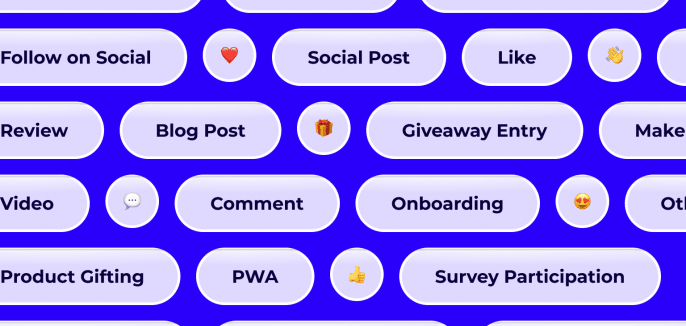
Running an ambassador program can get messy. One week you’re collecting product reviews, the next you’re launching a giveaway or encouraging your community to share your latest product launch. Before you know it, there are dozens of tasks piling up.
We get it and we’ve built something to help.
Task Categories are here to make it easier to keep everything organized and consistent as you grow. This simple addition lets you label every task you create so your team always knows exactly what’s what.
Today, we’ll show you why it matters, how it works, and what’s coming next.
Why Task Categories Matter
As your program grows, so does the variety of activities you run. Without a clear system, it can feel like you’re juggling a dozen different priorities without any structure.
Task Categories give you a way to bring order to the chaos. By tagging each task with a clear label like Social Post, Review, or Follow on Social; you create a shared language for your team. Everyone can see at a glance whether something is about creating content, driving engagement, or building your audience.
For example, if your goal is to generate more user-generated content, you’ll know exactly which tasks to look at (like Social Post or Reshare Brand Post) when you start reviewing performance.
Even if your program is still small, having this structure makes everyday management easier and helps you stay organized as you grow.
What You Can Do with Task Categories
At its core, this feature is all about clarity.
Here’s what you can do right now:
- Assign a category to any task as you create it.
- Choose from a list of common options, like:
- Social Post for feed content
- Review when you’re collecting product feedback
- Like or Comment when you want to boost engagement on specific posts
- Follow on Social if you’re growing your audience
- Reshare Brand Post for amplifying your own marketing content
- Testimonial when you want authentic stories to use in marketing materials
- And many more
- Use “Other” if something doesn’t fit neatly.
- Edit categories any time, so your program stays up to date as things evolve.
That’s it. No complicated setup. Just a simple, effective way to keep your tasks tidy.
How It Works in BrandChamp
Adding a category couldn’t be easier.When you create or edit a task, you’ll see a Category dropdown in the setup form. Just pick the label that fits best.

Say you’re creating a task to have ambassadors leave a product review. Just select Review and save. Or maybe you want them to follow your Instagram account, select Follow on Social instead.
If you use activity templates, you’ll see that tasks already have a category pre-selected. You can keep it as is, or update it anytime if it doesn’t match what you need.
Need to tweak something later? No problem. You can edit categories anytime.
Want a quick step-by-step on how to add categories in BrandChamp? Check out the Knowledge Base article here.
What’s Coming Next
While Task Categories already help you stay organized, this is just the beginning.
Very soon, you’ll see categories appear in your reporting and analytics.
Imagine being able to answer questions like:
- How many Social Posts have ambassadors created this quarter?
- Which tasks are driving the most likes and comments?
- Are we seeing more followers as a result of this campaign?
- How much user-generated content have we collected overall?
Having this visibility will help you understand how your ambassador program supports your bigger goals; whether that’s spreading the word, building trust, or growing your community.
We can’t wait to share more with you soon.
Tips for Getting Started
If you’re ready to dive in, here are a few simple ways to get started:
- Review your templates. Adding default categories now saves time later. For example, if you often ask ambassadors to Reshare Brand Posts, set that category as the default.
- Be consistent. Use the same labels for similar tasks so it’s easier to analyze later.
- Start small. Even categorizing your next few tasks makes a difference when reporting arrives.
Final Thoughts
It doesn’t take much to bring a little more order and clarity to your ambassador program.
Task Categories are a small feature with a big impact, helping you stay organized today and build a clearer picture of your program’s success tomorrow.
Whether your focus is generating authentic testimonials, collecting more reviews, or encouraging your ambassadors to follow your social channels, this update makes it easier to see how every task ladders up to your goals.
Ready to get started? Log in to your BrandChamp platform and try adding categories to your existing & next tasks.
And as always, if you have any questions or want a hand getting set up, reach out to our team. We’re here to help.

Anil Meena
Product Owner at BrandChamp, passionate about designing smart tools and seamless experiences that help brands grow thriving ambassador communities and drive results.
Subscribe our newsletter
Subscribe to get our latest news, features, and any updates.
Share article to:
How BrandChamp helped brands

Learn how sports nutrition brand U Perform transformed its ambassador program with BrandChamp—streamlining recruitment, automating rewards, and growing from a founder-led network to a scalable, revenue-generating community.


