


In-depth, real-time ambassador marketing analytics
Study.com, Water Babies, Legion Athletics, and 100s more run their programs on BrandChamp


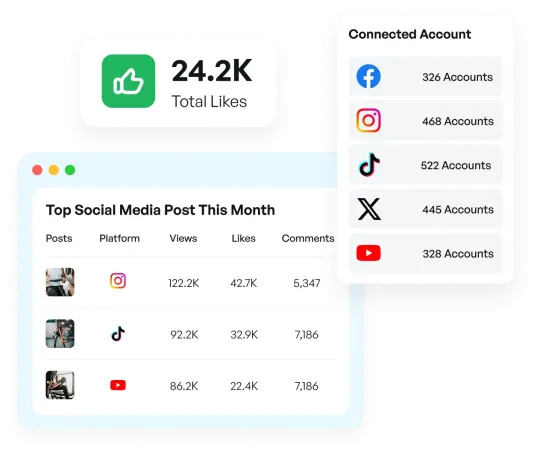
Social metrics
See how your posts are performing across social media! This section shows your key engagement numbers — likes, shares, comments, and reach — for everything you've shared as part of the program. Keep an eye on what's working best so you can celebrate your wins and keep growing your impact.
Sales & referrals analytics
Measure total revenue and referral sales on Shopify and WooCommerce sites with support for multiple currencies and the ability to see sales from each brand ambassador.


Activity analytics
Get insight into the challenges that are most popular with brand ambassadors to maximize engagement.
Real-time ambassador analytics
Real-time analytics that provide an overview of all marketing activities and details on each brand ambassador.

Don’t just take our word for it, see the real results

“When we first made the switch to BrandChamp, my department was doing hundreds of thousands of dollars in annual revenue. Now, I’m seeing millions of dollars in annual revenue.”
Miles Putney
Senior Director of Sponsorship, Legion Athletics

Legion Athletics Scales Rewards Program, Sees Millions in Annual Revenue with BrandChamp
What’s Legion Athletics’ recipe for success? One ingredient is BrandChamp’s ambassador management software.
BrandChamp integrates with your marketing stack
BrandChamp integrates seamlessly with your marketing stack, streamlining workflows and enhancing efficiency across common tools.


Trusted by the world’s best ambassador programs

"If you're building for the future and the long term in business, BrandChamp is an essential piece of the puzzle for building your community."

James Greenwell
Chief Executive Officer at On-Group Ltd

"Before BrandChamp, managing the program was overwhelming. We struggled to organize activities and distribute rewards in a way that felt relevant to our ambassadors. BrandChamp changed all of that."
Julie Colloca
Ambassador Program Manager at EF High School Exchange Year

"I have not found a better program than BrandChamp - and I looked at a lot of programs."
Miles Putney
Senior Director of Sponsorship at Legion Athletics

Ready to build your custom integration?
Explore the developer documentation to see what's possible, or talk to our team to get API access and build a more connected ambassador program.
"*" indicates required fields